Helping your computer with strain
Here are some things that I have picked up over the course of my research and just from being on my computer for a very long time that will help anybody speed up and windows computer. This is especially useful if you are trying to make your computer perform optimally. This is written with windows 7 in mind, some of these tricks will help with other operating systems using the run utility.
I AM NOT RESPONSIBLE FOR ANY HARM CAUSED TO ANYBODYS COMPUTERS AFTER FOLLOWING THESE STEPS. THEY ARE TRIED AND TESTED BUT OTHERS MAY MAKE MISTAKES/HAVE ADVERSE AFFECTS... BE CAREFUL.
Turn themes off
Something that can affect the performance of computer is the theme (windows aero theme, XP theme and so on.) they use graphic power that might be better used elsewhere. Firstly go to your start menu search for services and click the first result.
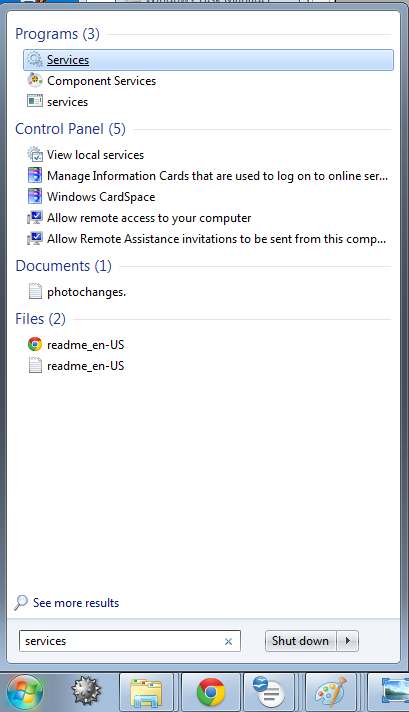
This dialogue should then appear (below)
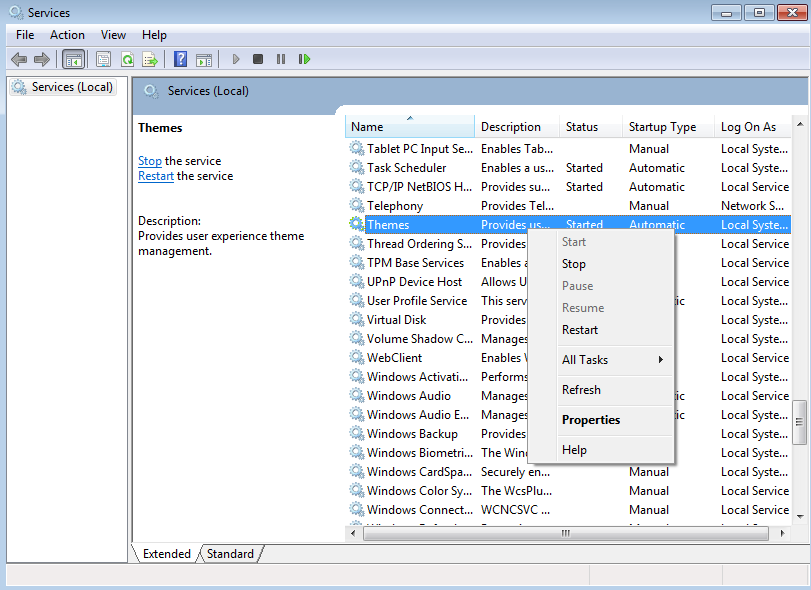
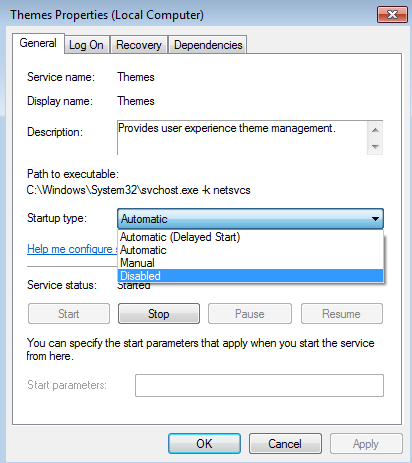
Scroll down until you find themes, right click on it and select properties. And change the start up type to Disabled. Upon restarting your system this will get rid of your shiny UI and replace it with something that resembles windows 95. but it will increase your performance.
Clearing up your start-up
Many people find that their computer gets slower and slower with time, this is because when used, especially with certain downloaded programmes (web browsers, Online games, Freeware) you can get things that you don’t necessarily need. You can stop these from starting up when your computer does and this will improve your performance greatly.
Firstly search for MSConfig in the start menu and get the result that matches the name.
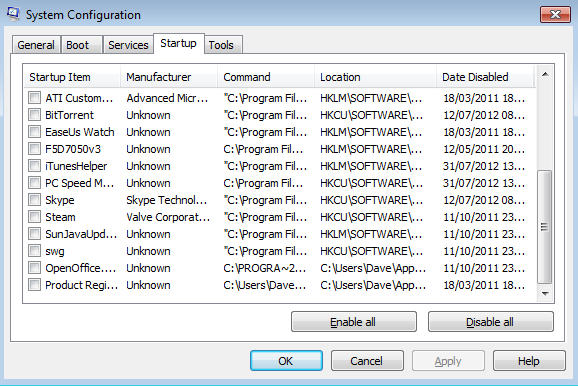
Go to the startup tab and Google some of your 'startup items' when you have a good idea of what needs to be there and what doesn’t disable anything you dont want to start when your computer does. For example I don't need Itunes helper to open when I start my computer because I dont even have Itunes, let alone an Ipod. Remember just because you disable a programme In this menu it doesnt mean it is gone forever you can always just start it yourself. For example if I wanted to use Skype i'd just open it myself rather than my computer opening it on startup. This arrangement greatly increases the startup time of most computers.
MAKE SURE YOU DO NOT DISABLE THE STARTUP ITEMS THAT NEED TO BE THERE.
BE 100% POSITIVE THAT YOU ARE DISABLING SOMETHING THAT ISNT INTEGRAL TO YOUR COMPUTER RUNNING.
Setting Core Affinity.
This last trick is pretty much all to do with streaming. And performance for certain programmes. Do a Ctrl+Alt+Del and go to task manager. Once there go to the processes tab. And right click a process, then go to set affinity... In essence what this allows you to do is manually tell your computer what part of the CPU(s) you want that programme to run on. As you can imagine, having your sources running on one core whilst you're encoding software runs on another whilst streaming is preferable.
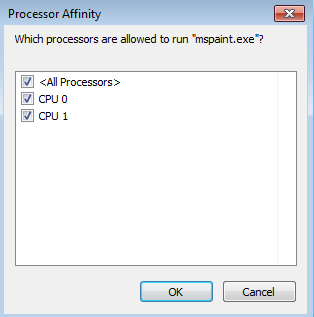
Remember these tricks are for use to make your computer more effective at streaming and other certain tasks. Other things that may help are reducing or turning off preview windows and minimising applications when not using them.
